Saving and Loading Timelines
You can save and load Movie Maker timelines — either in the Movie File (*.mvf extension) format or in the generic Template File (*.tpl extension) format. In either case, only the camera manipulations, clipping, and other property changes will be saved in the file, which is more efficient that saving all objects and the timeline in a session file.
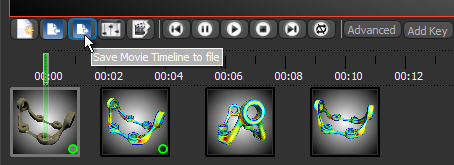
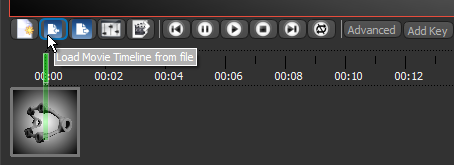
The options to save and load movie templates are available on the Movie Maker panel, as shown below.
Save Movie Timeline to file
Load Movie Timeline from file
 Saving Movie Maker Timelines
You can save Movie Maker timelines — either in the Movie File (*.mvf extension) format or in the generic Template File (*.tpl extension) format. In either case, only the camera manipulations, clipping, and other property changes will be saved in the file, which is more efficient that saving all objects and the timeline in a session file.
Movie File format… This format (*.mvf extension) is recommended in cases in which you want to save a particular animated sequence and then reproduce the sequence with the same or similarly sized objects of the same data type.
Template File format… This format (*.tpl extension) is recommended in cases in which you to save a generic animated sequence that could be re-used for other objects. In this case, the size, position, and spacing of the objects in the animated sequence will be adapted to fit the movie template stage and properties when the template file is loaded.
-
Create your animated sequence (see Creating Animated Sequences).
-
Click the Save Movie Timeline to file
 button on the Movie Maker panel.
 -
Enter a file name and choose a file type — Movie Files (*.mvf) or Movie Template Files (*.tpl) — in the Select movie file dialog.
-
Click Save.
Loading Movie Maker Timelines
You should note that the number of available objects on the Data Properties and Settings panel should be same as in the Movie File template you want to load.
-
Import or create all of the objects that were included in the saved Movie Maker timeline that you plan to load.
-
Right-click inside the 3D view and then choose Show Movie Maker in the pop-up menu.
-
Click the Load Movie Timeline to file
 button on the Movie Maker panel.
 -
Select the movie file that you want to import in the Select movie file dialog.
-
Click Open to load the file.
-
The template file is loaded automatically.
-
After loading a Movie Template, you can click the Update Thumbnails button to refresh the appearance of the thumbnails on the timeline.
- Preview the animated sequence with the playback controls or by dragging the Seek bar (see Playback Controls).
- If required, edit the animated sequence (see Editing Animated Sequences).
- Export the animated sequence (see Exporting Animated Sequences).
